Datadog Observability for ADK
Datadog LLM Observability helps AI engineers, data scientists, and application developers quickly develop, evaluate, and monitor LLM applications. Confidently improve output quality, performance, costs, and overall risk with structured experiments, end-to-end tracing across AI agents, and evaluations.
Overview
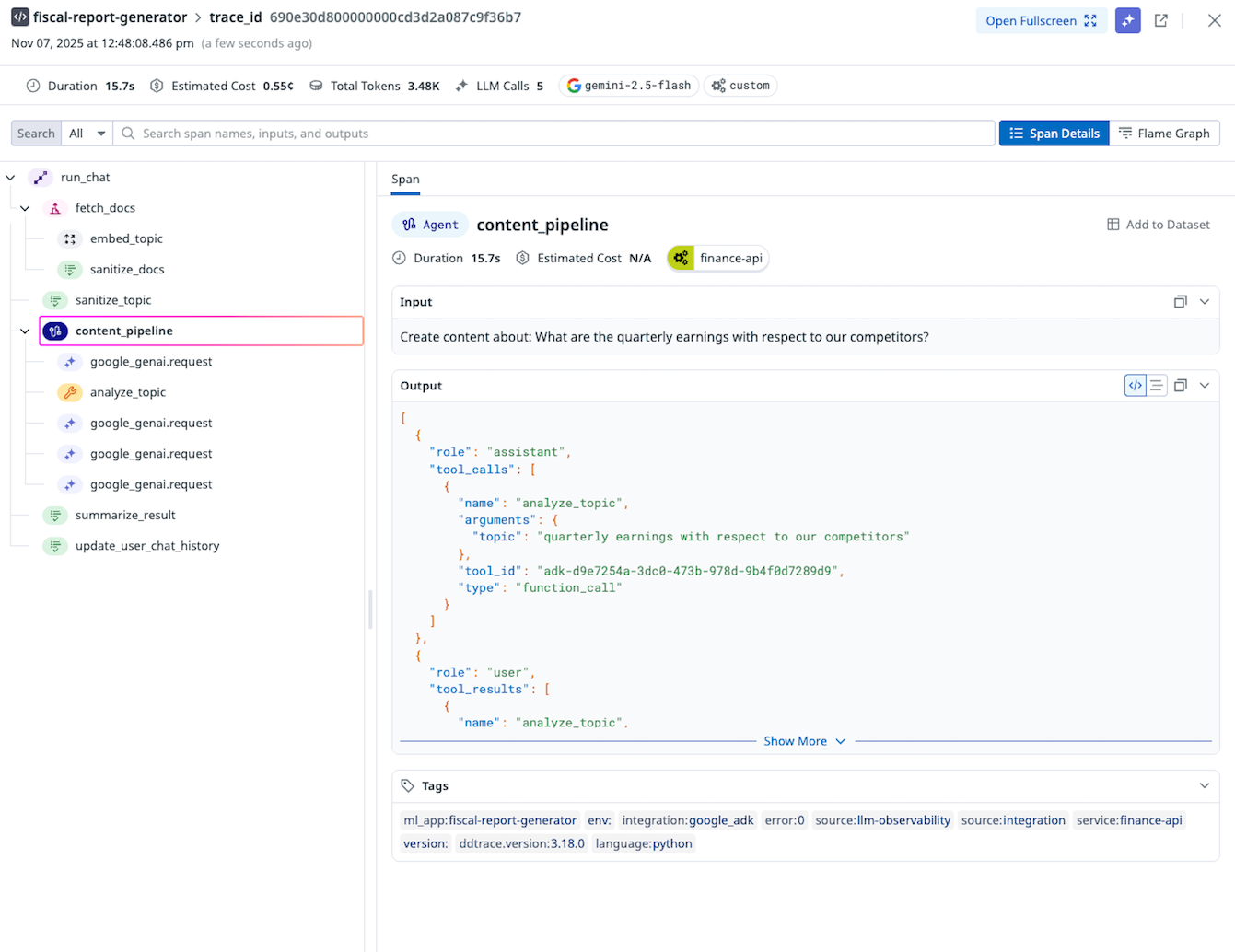
Datadog LLM Observability can automatically instrument and trace your agents built on Google ADK, allowing you to:
- Observe agent executions and interactions - Automatically capture every agent run, tool call, and code execution within your agents
- Capture LLM calls and responses made with the underlying Google GenAI SDK
- Debug issues by providing error rates, token usage and cost, and out-of-the-box evaluations on your LLM calls and tool usage
Prerequisites
Sign up for a Datadog account if you do not have one and get your API key.
Installation
Install the required packages:
Setup
Create an Application using the Google ADK
If you do not have an application using the Google ADK, follow the steps in the ADK Getting Started Guide to create a sample ADK agent.
Configure Environment Variables
You will need to specify an ML Application name in the following environment variables. An ML Application is a grouping of LLM Observability traces associated with a specific LLM-based application. See ML Application Naming Guidelines for more information on limitations with ML Application names.
export DD_API_KEY=<YOUR_DD_API_KEY>
export DD_SITE=<YOUR_DD_SITE>
export DD_LLMOBS_ENABLED=true
export DD_LLMOBS_ML_APP=<YOUR_ML_APP_NAME>
export DD_LLMOBS_AGENTLESS_ENABLED=true
export DD_APM_TRACING_ENABLED=false  # Only set this if you are not using Datadog APM
These variables must be exported before running your application so the
following ddtrace-run command can use them, as opposed to putting them in the
agent's .env file.
Run Your Application
Once you have configured your environment variables, you can run your application and start observing your LLM-based applications.
Observe
Navigate to the Datadog LLM Observability Traces View to see the traces generated by your application.